
Warning: Undefined variable $arrContentDetails0 in /home/digitaldepotco/wmc/wp-content/themes/C4/coursemanager/getApprDetailRef.php on line 110
Warning: Trying to access array offset on null in /home/digitaldepotco/wmc/wp-content/themes/C4/coursemanager/getApprDetailRef.php on line 110
Warning: Undefined array key "newSite" in /home/digitaldepotco/wmc/wp-content/themes/C4/template-course-detail.php on line 159
Computer skills for improvers plus: next steps to develop further skills
Course Overview
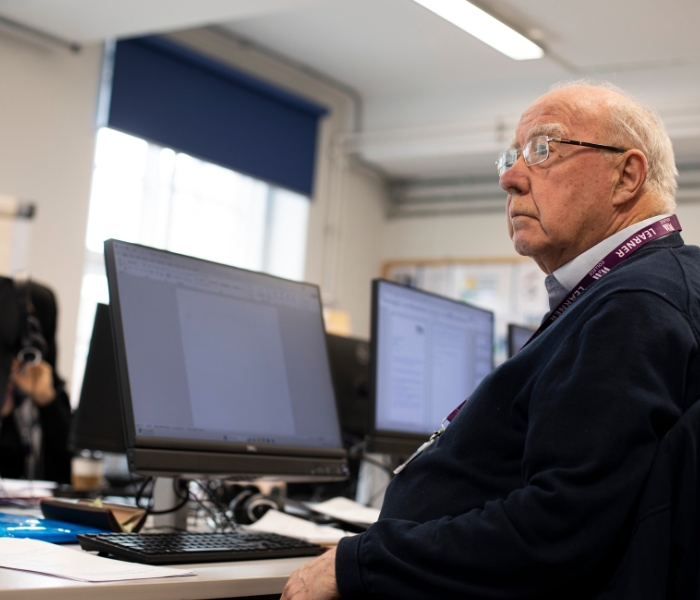
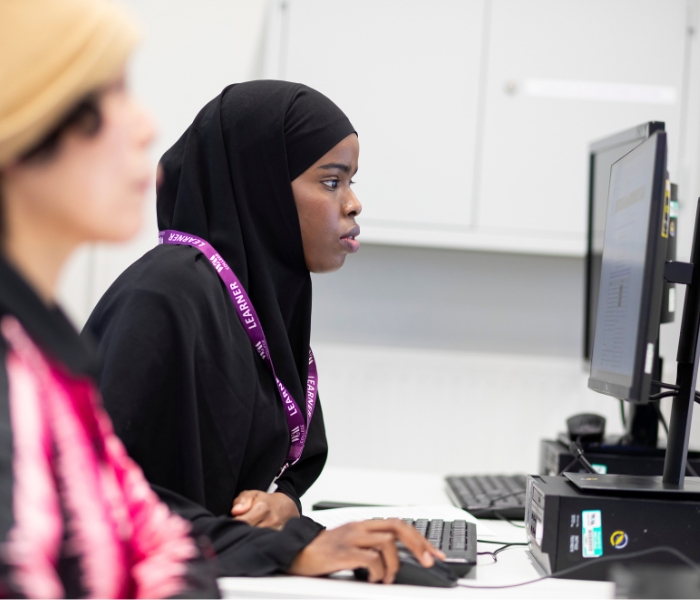
Ready to take your digital skills to the next level? This intermediate computer skills course is designed for learners who already have a foundation in basic digital literacy and are looking to build confidence, boost productivity, and expand their technical knowledge.
Working at your own pace and supported by an experienced tutor, you will focus on the areas most relevant to your personal or professional goals — making this a truly flexible and personalised learning experience.
Location: Crowndale Road, Camden
Who is this course for and what will I learn?
This course is ideal for anyone looking to improve their everyday computer skills — whether you're returning to work, looking to progress in your career, or simply want to feel more confident using technology.
You should already be comfortable locating and managing files on a computer and using the internet to search for information. This course is not suitable for complete beginners.
This course covers a range of practical, in-demand digital skills, including:
- Keyboard & Mouse Mastery — Discover time-saving shortcuts and tricks to work faster and more efficiently
- Microsoft Excel Essentials — Learn to enter and organise data, apply formatting, and use basic calculations with confidence
- Draw.io — Create professional diagrams, visual records and PDFs using this powerful free online graphical tool
- Introduction to AI & Prompting — Explore how artificial intelligence works and how to use prompting techniques effectively in everyday tasks
- Internet Research, Safety & Privacy — Strengthen your online research skills while staying safe and protecting your personal information
- File Management — Develop good habits for organising folders and files so you can find what you need, when you need it
You should already be comfortable locating and managing files on a computer and using the internet to search for information. This course is not suitable for complete beginners.
This course covers a range of practical, in-demand digital skills, including:
- Keyboard & Mouse Mastery — Discover time-saving shortcuts and tricks to work faster and more efficiently
- Microsoft Excel Essentials — Learn to enter and organise data, apply formatting, and use basic calculations with confidence
- Draw.io — Create professional diagrams, visual records and PDFs using this powerful free online graphical tool
- Introduction to AI & Prompting — Explore how artificial intelligence works and how to use prompting techniques effectively in everyday tasks
- Internet Research, Safety & Privacy — Strengthen your online research skills while staying safe and protecting your personal information
- File Management — Develop good habits for organising folders and files so you can find what you need, when you need it
How will I learn?
The course will be delivered using a range of teaching and learning methods which include: demonstrations, paired-work, group work, video tutorials, independent work and homework. Resources used within each lesson are available for learners on one our online learning platforms, Microsoft Teams or Google Classroom. At this level, you should feel independent enough with IT that you can work alone at home on home work. Weekly homework may be given and you are expected to do this. You are also encouraged to attend some workshops at the college outside of these class times.
Warning: Undefined array key "isSummerSchool" in /home/digitaldepotco/wmc/wp-content/themes/C4/template-course-detail.php on line 991
Assessment and next steps
There is no exam or formal assessment for this course. However, you will work with your tutor to identify your aims at the beginning of the session and will receive one to one feedback throughout as well as sharing outcomes at the end of the course. There is no formal qualification attached to this course, but you can receive a Certificate of Completion from the college on request.
Once you have completed the course you may choose to enroll on: Essential Digital Skills Qualification Entry 3, Microsoft Excel: Intermediate. Advice and Guidance for all further study is available from the Curriculum Manager by request. Careers advice is also available.
Once you have completed the course you may choose to enroll on: Essential Digital Skills Qualification Entry 3, Microsoft Excel: Intermediate. Advice and Guidance for all further study is available from the Curriculum Manager by request. Careers advice is also available.
What additional support can I get?
You may be eligible for fee reductions or one of our bursaries, please check the Information and Advice section of our website to find out more.
Additional Learning Support (ALS) is available for this course, subject to an interview with a member of our support staff. ALS may include one or more of the following: support in classes, out of class in small groups, workshops or 1:1 with a specialist tutor. Reasonable adjustments including assistive equipment and access support can be made available through our Disability Officer. Please let us know as soon as possible about your learning needs and/or disabilities so we can arrange support at the earliest opportunity.
Teachers are supported to ensure their materials are inclusive to meet learners’ needs. Digital Learning support is available in the Learning Centre.
We offer free support with finding a job, including 1-1 support with job applications, creating a CV or improving your interview skills, as well as advice about progression opportunities. Visit the website for more information or to book an appointment with our Employability Coach.
There are regular cross-college events, external speaker visits, exhibitions, and opportunities for you to get involved in college life. Look out for adverts around the college, iLearn or sign up to Our Newsletter via the website.
Additional Learning Support (ALS) is available for this course, subject to an interview with a member of our support staff. ALS may include one or more of the following: support in classes, out of class in small groups, workshops or 1:1 with a specialist tutor. Reasonable adjustments including assistive equipment and access support can be made available through our Disability Officer. Please let us know as soon as possible about your learning needs and/or disabilities so we can arrange support at the earliest opportunity.
Teachers are supported to ensure their materials are inclusive to meet learners’ needs. Digital Learning support is available in the Learning Centre.
We offer free support with finding a job, including 1-1 support with job applications, creating a CV or improving your interview skills, as well as advice about progression opportunities. Visit the website for more information or to book an appointment with our Employability Coach.
There are regular cross-college events, external speaker visits, exhibitions, and opportunities for you to get involved in college life. Look out for adverts around the college, iLearn or sign up to Our Newsletter via the website.
Tutor Profiles
Carola Perales - Digital Skills Tutor
Carola is an experienced tutor. She has over 30 years of experience as a digital skills and special needs tutor.
Carola has experience teaching subjects such as: Windows and Linux operating systems, Microsoft Office, open-source app development, webpage creation, Internet skills (research, user control, privacy and safety, web development). Carola has been teaching AI for 4 years, focusing on understanding this technology, professional skills in prompting AI, and using it in a safer way.
TEACHING AND LEARNER SUPPORT
Carola’s teaching style ensures all students can achieve by tailoring the teaching and resources to suit the specific needs of individual students, alongside various e-learning methodologies.
Carola helps the students understand how to use digital technology and the Internet safely, focusing on adapting to the new changes in the workplace and daily life due to AI.
Carola offers accessible open-source apps and uses AI to promote self-development, avoiding over-exposure and understanding how AI can affect our wellbeing.
ACHIEVEMENTS AND CREDENTIALS
PGCE (Community Learning)
QTLS
Masters in Psychology of Education
JEB Diploma (Level 3) Teaching ICT
Special Needs Teaching first degree
Carola won STAR Awards in 2004 (Basic/Key Skills Tutor of the Year - Protocol Training).
Carola is an experienced tutor. She has over 30 years of experience as a digital skills and special needs tutor.
Carola has experience teaching subjects such as: Windows and Linux operating systems, Microsoft Office, open-source app development, webpage creation, Internet skills (research, user control, privacy and safety, web development). Carola has been teaching AI for 4 years, focusing on understanding this technology, professional skills in prompting AI, and using it in a safer way.
TEACHING AND LEARNER SUPPORT
Carola’s teaching style ensures all students can achieve by tailoring the teaching and resources to suit the specific needs of individual students, alongside various e-learning methodologies.
Carola helps the students understand how to use digital technology and the Internet safely, focusing on adapting to the new changes in the workplace and daily life due to AI.
Carola offers accessible open-source apps and uses AI to promote self-development, avoiding over-exposure and understanding how AI can affect our wellbeing.
ACHIEVEMENTS AND CREDENTIALS
PGCE (Community Learning)
QTLS
Masters in Psychology of Education
JEB Diploma (Level 3) Teaching ICT
Special Needs Teaching first degree
Carola won STAR Awards in 2004 (Basic/Key Skills Tutor of the Year - Protocol Training).

Related Courses