
Warning: Undefined variable $arrContentDetails0 in /home/digitaldepotco/wmc/wp-content/themes/C4/coursemanager/getApprDetailRef.php on line 110
Warning: Trying to access array offset on null in /home/digitaldepotco/wmc/wp-content/themes/C4/coursemanager/getApprDetailRef.php on line 110
Warning: Undefined array key "newSite" in /home/digitaldepotco/wmc/wp-content/themes/C4/template-course-detail.php on line 159
Computer skills for beginners: learn digital skills for everyday life
Course Overview
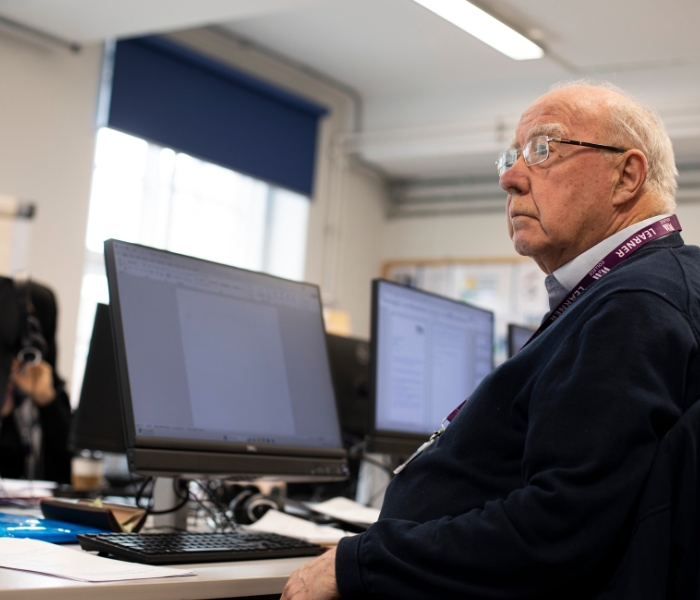
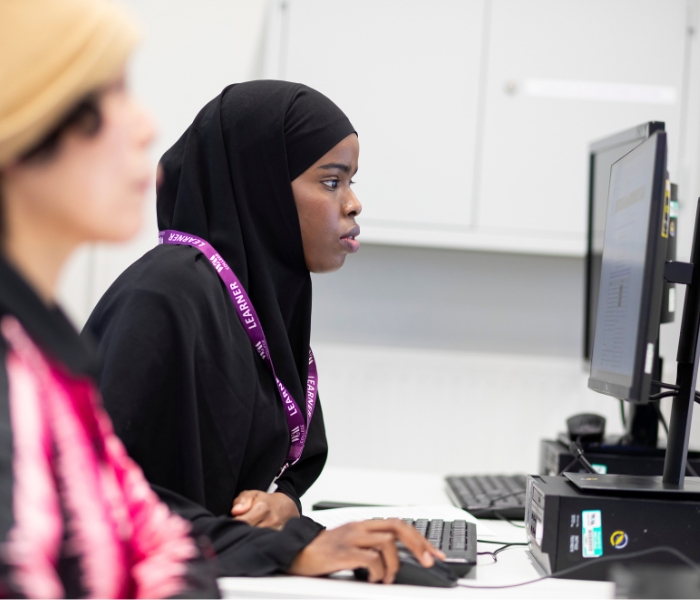
This Beginner Computer Skills course is designed for learners who are new to computers and want to gain the confidence and knowledge needed to use digital devices effectively in everyday life. Whether you are looking to improve your employability, manage personal tasks online, or communicate with others digitally, this course provides a supportive introduction to essential IT skills.
Location: Crowndale Road, Camden
Who is this course for and what will I learn?
Throughout the course, learners will develop foundational digital literacy skills, starting with the basics of using a computer, including navigating Windows, using a mouse and keyboard, and organising files and folders. You will gain practical, hands-on experience using key Microsoft 365 applications, including Microsoft Word, Excel, and PowerPoint, enabling you to create documents, simple spreadsheets, and presentations with confidence.
The course also introduces cloud storage using OneDrive, helping learners understand how to save, access, and share files securely from any device. In addition, you will explore internet browsing skills, learning how to search effectively, evaluate information online, and access services safely.
To support everyday communication, learners will gain experience using email and Microsoft Teams, developing the skills needed to connect with others in both personal and professional settings. A strong focus is placed on digital safety and online security, covering topics such as creating secure passwords, recognising phishing scams, and understanding your digital identity.
By the end of the course, learners will have built the confidence to navigate computers, use common software tools, and engage safely in the digital world.
The course also introduces cloud storage using OneDrive, helping learners understand how to save, access, and share files securely from any device. In addition, you will explore internet browsing skills, learning how to search effectively, evaluate information online, and access services safely.
To support everyday communication, learners will gain experience using email and Microsoft Teams, developing the skills needed to connect with others in both personal and professional settings. A strong focus is placed on digital safety and online security, covering topics such as creating secure passwords, recognising phishing scams, and understanding your digital identity.
By the end of the course, learners will have built the confidence to navigate computers, use common software tools, and engage safely in the digital world.
How will I learn?
All learners will be closely monitored and supported during their course. The course will include: tutor demonstrations; practical tasks such as creating, printing and saving documents; pair and group work to consolidate knowledge, skills and to develop a team spirit; activities and fun quizzes in class and on our online learning platform. Resources used within each lesson are available for learners on our online learning platform.
Although this is a non accredited course, you are expected to work outside the class to acquire the necessary skills that will enable you to become confident and to progress to the next level. Homework will be set weekly and it is an important component of your learning and progress. You are expected to complete exercise and activities on the online learning platform to prepare, rehearse and demonstrate the skills that you have learnt in class. As when required, you will be encouraged to conduct relevant internet search.
Although this is a non accredited course, you are expected to work outside the class to acquire the necessary skills that will enable you to become confident and to progress to the next level. Homework will be set weekly and it is an important component of your learning and progress. You are expected to complete exercise and activities on the online learning platform to prepare, rehearse and demonstrate the skills that you have learnt in class. As when required, you will be encouraged to conduct relevant internet search.
Warning: Undefined array key "isSummerSchool" in /home/digitaldepotco/wmc/wp-content/themes/C4/template-course-detail.php on line 991
Assessment and next steps
There is no exam or formal assessment for this course. However, you will work with your tutor to identify your aims at the beginning of the session and will receive one to one feedback throughout as well as sharing outcomes at the end of the course. There is no formal qualification attached to this course, but you can receive a Certificate of Completion from the college on request.
Once you have completed the course you may choose to enroll on: Computer skills for improvers, Essential Digital Skills Entry 3 or Microsoft Excel Beginners. Advice and Guidance for all further study is available from the Curriculum Manager by request. Careers advice is also available.
Once you have completed the course you may choose to enroll on: Computer skills for improvers, Essential Digital Skills Entry 3 or Microsoft Excel Beginners. Advice and Guidance for all further study is available from the Curriculum Manager by request. Careers advice is also available.
What additional support can I get?
You may be eligible for fee reductions or one of our bursaries, please check the Information and Advice section of our website to find out more.
Additional Learning Support (ALS) is available for this course, subject to an interview with a member of our support staff. ALS may include one or more of the following: support in classes, out of class in small groups, workshops or 1:1 with a specialist tutor. Reasonable adjustments including assistive equipment and access support can be made available through our Disability Officer. Please let us know as soon as possible about your learning needs and/or disabilities so we can arrange support at the earliest opportunity.
Teachers are supported to ensure their materials are inclusive to meet learners’ needs. Digital Learning support is available in the Learning Centre.
We offer free support with finding a job, including 1-1 support with job applications, creating a CV or improving your interview skills, as well as advice about progression opportunities. Visit the website for more information or to book an appointment with our Employability Coach.
There are regular cross-college events, external speaker visits, exhibitions, and opportunities for you to get involved in college life. Look out for adverts around the college, iLearn or sign up to Our Newsletter via the website.
Additional Learning Support (ALS) is available for this course, subject to an interview with a member of our support staff. ALS may include one or more of the following: support in classes, out of class in small groups, workshops or 1:1 with a specialist tutor. Reasonable adjustments including assistive equipment and access support can be made available through our Disability Officer. Please let us know as soon as possible about your learning needs and/or disabilities so we can arrange support at the earliest opportunity.
Teachers are supported to ensure their materials are inclusive to meet learners’ needs. Digital Learning support is available in the Learning Centre.
We offer free support with finding a job, including 1-1 support with job applications, creating a CV or improving your interview skills, as well as advice about progression opportunities. Visit the website for more information or to book an appointment with our Employability Coach.
There are regular cross-college events, external speaker visits, exhibitions, and opportunities for you to get involved in college life. Look out for adverts around the college, iLearn or sign up to Our Newsletter via the website.
Tutor Profiles
Francesco Felletti - Video Post Production and ICT tutor
Francesco Felletti is a multidisciplinary artist and educator. His background spans motion design, film, and art. His art practice combines video, installation, and socially engaged approaches.
TEACHING AND LEARNER SUPPORT
Francesco teaches a range of creative and digital skills courses, including Essential Digital Skills (Entry Level to Level 1), video editing, VFX, motion graphics, and AI in film and video. He teaches several creative softwares, such as Adobe Premiere Pro, After Effects, InDesign, Photoshop, and Canva.
In his classes, he creates a supportive and relaxed learning environment where learners feel comfortable experimenting, building confidence, and developing their own personal projects.
ACHIEVEMENTS AND CREDENTIALS
- MA Fine Art – Central Saint Martins, University of the Arts London
- BA Arti Multimediali e Tecnologiche – Accademia di Belle Arti di Roma
- Artist residencies including XYZ Grays Inn Road and PAUSE/FRAME at The Koppel Project (Wiggle Room duo)
- Exhibited and screened work across London, including Tate Modern (Offprint), Hypha Studios, BOTH Gallery, LUX Moving Image, and Lethaby Gallery
- Co-creator of Wiggle Room, a collaborative practice exploring space, art labour, and public interventions
- Motion design work for Sony Music Italia, Universal Music Group, and Eagle Pictures, alongside experience in theatre production at Teatro dell’Opera di Roma, contributing to live performances directed by artists including Sofia Coppola, Damiano Michieletto, Gianluigi Toccafondo, and Giorgio Barberio Corsetti.
PROFESSIONAL LINKS
https://www.fellettifrancesco.com
Francesco Felletti is a multidisciplinary artist and educator. His background spans motion design, film, and art. His art practice combines video, installation, and socially engaged approaches.
TEACHING AND LEARNER SUPPORT
Francesco teaches a range of creative and digital skills courses, including Essential Digital Skills (Entry Level to Level 1), video editing, VFX, motion graphics, and AI in film and video. He teaches several creative softwares, such as Adobe Premiere Pro, After Effects, InDesign, Photoshop, and Canva.
In his classes, he creates a supportive and relaxed learning environment where learners feel comfortable experimenting, building confidence, and developing their own personal projects.
ACHIEVEMENTS AND CREDENTIALS
- MA Fine Art – Central Saint Martins, University of the Arts London
- BA Arti Multimediali e Tecnologiche – Accademia di Belle Arti di Roma
- Artist residencies including XYZ Grays Inn Road and PAUSE/FRAME at The Koppel Project (Wiggle Room duo)
- Exhibited and screened work across London, including Tate Modern (Offprint), Hypha Studios, BOTH Gallery, LUX Moving Image, and Lethaby Gallery
- Co-creator of Wiggle Room, a collaborative practice exploring space, art labour, and public interventions
- Motion design work for Sony Music Italia, Universal Music Group, and Eagle Pictures, alongside experience in theatre production at Teatro dell’Opera di Roma, contributing to live performances directed by artists including Sofia Coppola, Damiano Michieletto, Gianluigi Toccafondo, and Giorgio Barberio Corsetti.
PROFESSIONAL LINKS
https://www.fellettifrancesco.com

Related Courses